

Access Ad Platform
Access the Ad Platform via the link provided by the publisher.- Open the Ad Platform URL in your browser.
- Format:
https://{publisher-domain}.adrop.io
- Format:
- Log in or sign up.
Create Ad Account
An ad account is the unit for booking and managing campaigns.You can create multiple ad accounts within one organization and share payment profiles across them. Separate ad accounts by brand or project for better management.
How to Create an Account
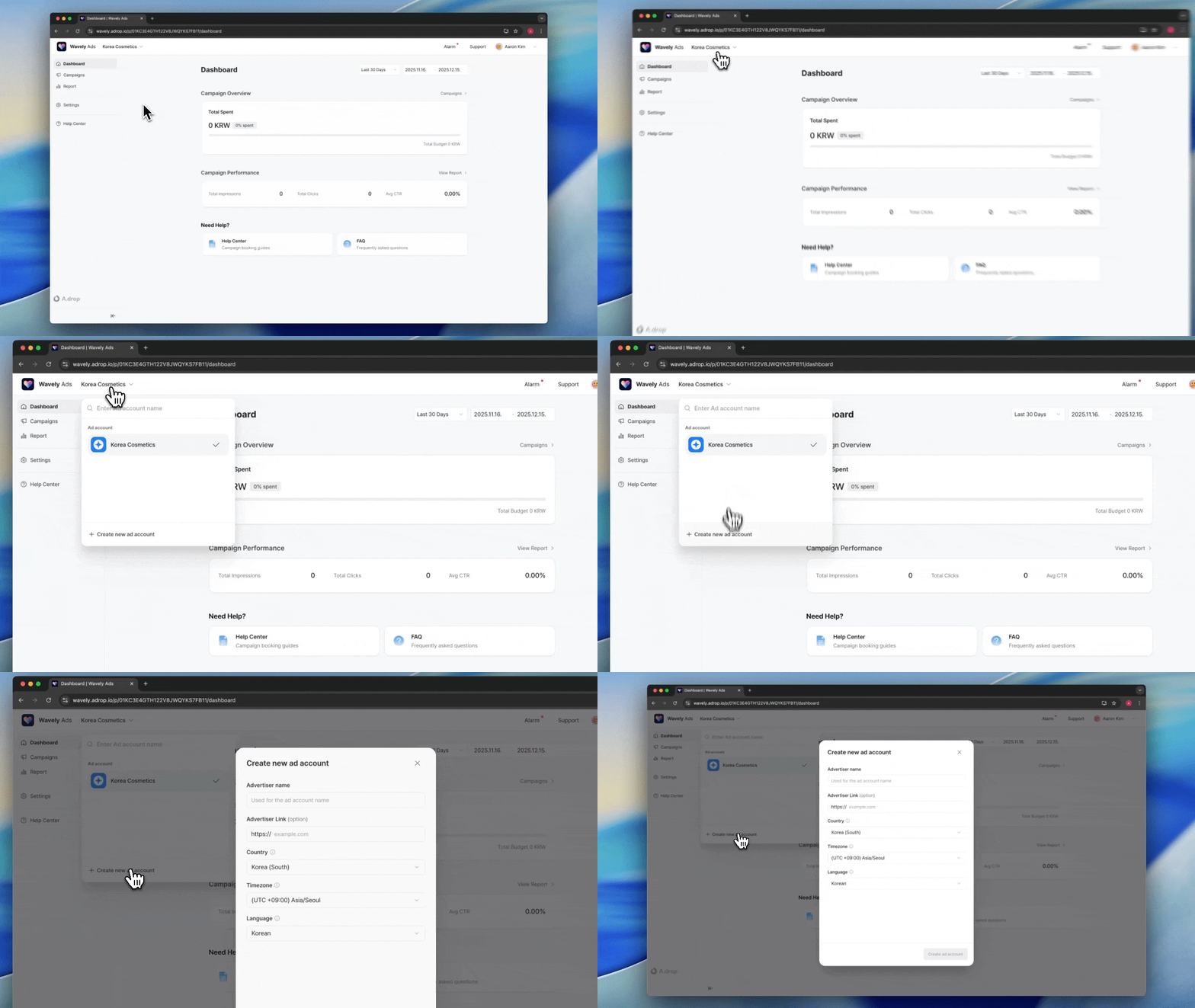
- Click the ad account name in the top-left corner
- Click [+ Create] at the bottom of the dropdown menu
- Enter account information and click [Create]
Enter Account Information
Campaign schedules and ad delivery are based on the ad product’s timezone.
Set Up Payment Profile
A payment profile stores business information and payment methods.Payment profiles can be shared across multiple ad accounts. You can create your own or be invited by team members to use theirs.
Create Payment Profile
- Select Billing & Payments from the left menu
- Click Add Payment Profile
- Enter profile name and click Create
Enter Business Information
Tax ID & Rates by Country
Register Payment Method
- Click the Add Payment Method button.
- Select a payment provider.
- Enter card information.
- Click the Register button.
Payment profiles can only be used by ad accounts with matching countries.
Share Payment Profile
To share a payment profile with team members, invite them as members.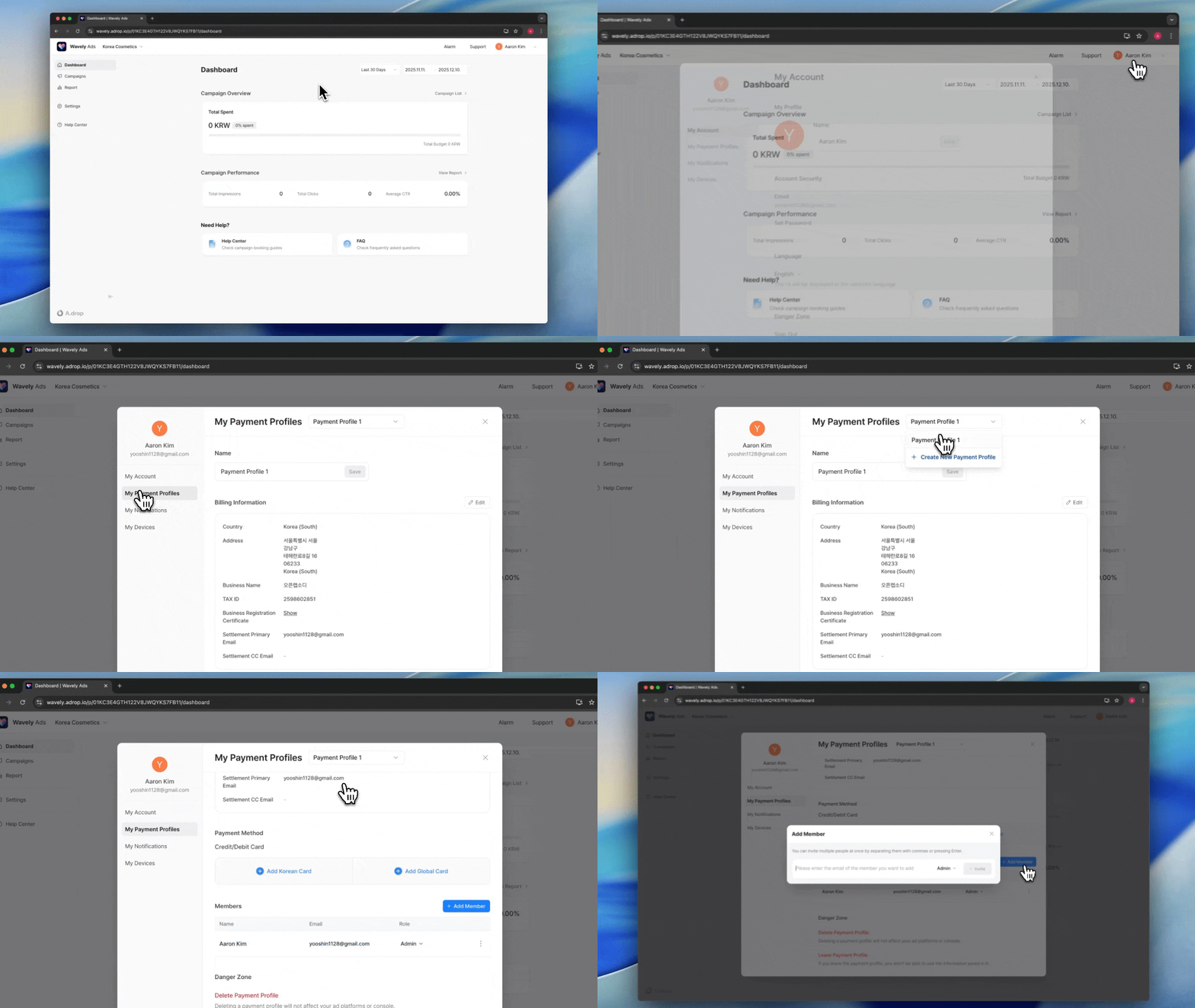
- In Account Modal > My Payment Profiles, select the profile to share
- Click Invite Member
- Enter the email of the team member to invite
- Click Invite
Manage Ad Account Members
You can invite team members to manage ad accounts together.Invite Member
- Select Member Management menu in ad account settings
- Click Invite Member
- Enter team member’s email
- Select role
- Click Invite
Role Permissions
Next Steps
Book a Campaign
Learn how to select ad products and book campaigns.
FAQ
Can a payment profile be used by multiple ad accounts?
Can a payment profile be used by multiple ad accounts?
Yes, a single payment profile can be shared across multiple ad accounts. However, the payment profile’s country and the ad account’s country must match.
Can I create multiple ad accounts?
Can I create multiple ad accounts?
Yes, you can create multiple ad accounts within one organization. Separate them by brand or project for better management.
How do I change my payment method?
How do I change my payment method?
Register a new card in the payment profile, then select that card when booking campaigns. Existing cards can be deleted from the payment profile.