> ## Documentation Index
> Fetch the complete documentation index at: https://docs.adrop.io/llms.txt
> Use this file to discover all available pages before exploring further.
# Supporting Dark Mode
> Guide on how to provide ad creatives that match your app's Dark Mode.
## What is Dark Mode?
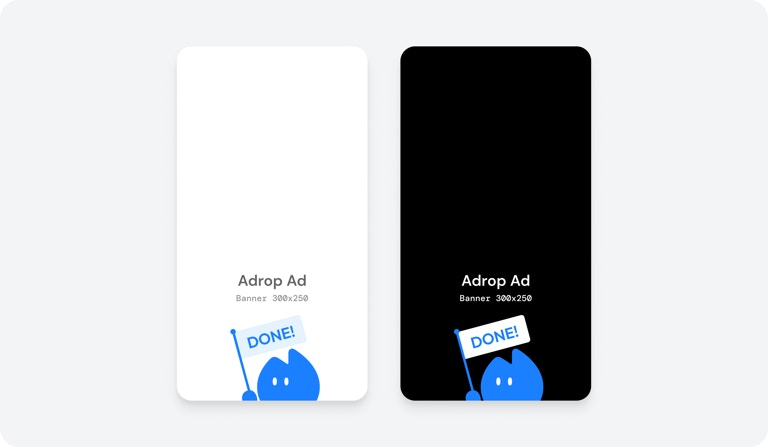
Dark Mode is a UI theme that uses bright text on a dark background. When the app is in Dark Mode, displaying ads with dark-toned creatives improves user experience.
Enabling the Dark Mode creative feature allows you to operate ads optimized for both light mode and Dark Mode environments with a single Ad Unit.
 ***
## Supported Formats
The following Ad Units support Dark Mode creatives.
* Banner
* Popup
* Splash
* Native
Video creatives do not support Dark Mode.
***
## Configuration Method
Enable the **Receive Dark Mode Creatives** toggle when creating or modifying an Ad Unit.
| Setting | Behavior |
| ------- | --------------------------------------------- |
| **ON** | Can receive Dark Mode creatives |
| **OFF** | Always receive only default (light) creatives |
***
## How It Works
1. **Ad Unit Setting**: Enable receiving Dark Mode creatives in the Ad Unit.
2. **Creative Registration**: Advertisers register both light mode and Dark Mode creatives when booking campaigns.
3. **SDK Request**: The SDK automatically detects the app's current theme (light/dark) and makes requests.
4. **Creative Response**: Returns Dark Mode creative when Dark Mode is requested.
### Fallback Behavior
If no Dark Mode creative is registered, light mode creative is displayed.
***
## Cautions
**Changing Settings During Campaign**
If you enable Dark Mode for an Ad Unit included in a running campaign, light mode creative is displayed as the default.
**Creative Review**
Light mode and Dark Mode creatives are reviewed simultaneously. If either violates policy, the entire creative set is rejected.
***
## Next Steps
Create your own Ad Unit
***
## Supported Formats
The following Ad Units support Dark Mode creatives.
* Banner
* Popup
* Splash
* Native
Video creatives do not support Dark Mode.
***
## Configuration Method
Enable the **Receive Dark Mode Creatives** toggle when creating or modifying an Ad Unit.
| Setting | Behavior |
| ------- | --------------------------------------------- |
| **ON** | Can receive Dark Mode creatives |
| **OFF** | Always receive only default (light) creatives |
***
## How It Works
1. **Ad Unit Setting**: Enable receiving Dark Mode creatives in the Ad Unit.
2. **Creative Registration**: Advertisers register both light mode and Dark Mode creatives when booking campaigns.
3. **SDK Request**: The SDK automatically detects the app's current theme (light/dark) and makes requests.
4. **Creative Response**: Returns Dark Mode creative when Dark Mode is requested.
### Fallback Behavior
If no Dark Mode creative is registered, light mode creative is displayed.
***
## Cautions
**Changing Settings During Campaign**
If you enable Dark Mode for an Ad Unit included in a running campaign, light mode creative is displayed as the default.
**Creative Review**
Light mode and Dark Mode creatives are reviewed simultaneously. If either violates policy, the entire creative set is rejected.
***
## Next Steps
Create your own Ad Unit